%22%2F%3E%0A%20%20%3Cpath%20d%3D%22M32%205C35%205%2037.7%206.7%2039.2%209.6L58%2050.9C60.4%2056.2%2056.5%2062%2050.7%2062C47.6%2062%2044.8%2060.2%2043.5%2057.4L24.8%2016.4C22.4%2011.2%2026.2%205%2032%205Z%22%20fill%3D%22url(%23right)%22%2F%3E%0A%20%20%3Cpath%20d%3D%22M24.8%209.6C27.6%203.5%2036.4%203.5%2039.2%209.6L32%2025.4L24.8%209.6Z%22%20fill%3D%22%23B6B6FF%22%2F%3E%0A%20%20%3Cpath%20d%3D%22M23.9%2040H39.5L45%2052H18.5L23.9%2040Z%22%20fill%3D%22url(%23bridge)%22%2F%3E%0A%20%20%3Cpath%20d%3D%22M23.9%2040H39.5L18.5%2052L23.9%2040Z%22%20fill%3D%22%239795F5%22%2F%3E%0A%3C%2Fsvg%3E)

Why Benchmark Models on Your Own Tooling Matters
You can’t rely on generic benchmarks to pick the right open AI model for your product. They flat-out miss what really breaks your multi-step workflows, latency ceilings, or tight tooling integrations. Testing models inside your own stack is the only way to nail your production requirements.
When we say benchmark open AI models, we mean running them where you actually use them, measuring not just raw accuracy but latency, cost, and real agentic use cases. Because off-the-shelf benchmarks only tell part of the story - gleaned from sanitized tasks that don’t tap into how your agents call APIs, sequence multi-tool workflows, or handle latency spikes.
Data from Exgentic.ai is clear: open-weight models lag behind proprietary ones by 18 to 29 percentage points on agentic tasks. But the gap widens or narrows dramatically depending on your agent’s design. We’ve repeatedly seen proof that tools like BenchLoc help catch these issues upfront - saving you from burning money on API calls or rushing buggy models into production. No guesswork needed.
One tip from the trenches: never benchmark a model without pinning down what "agentic workload" looks like for your app. It’s the biggest source of surprises.
Overview of Popular Open AI Models for Benchmarking
2026's space is crowded, but the real players are clear. Here’s a snapshot we’ve watched crush or crumble in production runs:
| Model | Type | Parameters | Performance Highlights | Cost |
|---|---|---|---|---|
| GPT-4.1-mini | Proprietary | ~7B | Optimized for dev workflows and real-time UX | $0.002 / 1K tokens |
| Claude Opus 4.6 | Proprietary | ~52B | Strong reasoning, steady multiturn coherence | $0.0035 / 1K tokens |
| GPT-OSS 120B | Open-weight | 120B | Transparent, decent reasoning out of the box | Free local run; $0 external |
Open-weight models like GPT-OSS 120B empower you to slash running costs by up to 75% compared to GPT-5.5 cloud APIs (ai4u.space data). But here’s the rub - they demand careful, bespoke tuning to survive complex agent tasks. We’ve lost more than a few cycles chasing that sweet spot.
Proprietary models dominate Terminal-Bench 2.0 with scores near 91 points (benchlm.ai). Local models shine as cost-effective co-pilots, especially for startups smart about hybrid infrastructure.
My take: don’t pick a model by headline specs. Pick it by how it behaves in your tooling stack.
Setting Up Your Benchmark Environment with BenchLoc
BenchLoc isn’t just another benchmarking tool. We built it to make reproducible, side-by-side model tests straightforward - whether local GPU or cloud APIs.
Start with:
bashLoading...
Kick off a test with:
pythonLoading...
BenchLoc includes essential tasks - MMLU multiple-choice, reasoning challenges, multi-turn dialogue scenarios - all configurable to your token budgets and latency thresholds.
Got proprietary APIs? They slide in smoothly:
pythonLoading...
We track throughput, latency, exact token usage, and task correctness. You can swap in your own datasets to mirror your pipelines exactly.
Word to the wise: before you run benchmarks, nail your scenario complexity. BenchLoc’s power lies in matching your workflows - not generic datasets.
Designing Meaningful Benchmarks: Metrics and Scenarios
Good benchmarking is brutal. Accuracy alone won’t cut it. Focus on these four pillars:
- Task accuracy: Use datasets that mirror your multi-step agent queries and tool calls. Raw benchmarks never capture this nuance.
- Latency: Measure from request start through network full round trip.
- Token usage: Token counts equal cold hard inference dollars.
- Robustness: Chain tasks, handoffs, API calls - agentic workflows ad a whole new dimension.
Agentic tasks force models to plan, summon APIs or tools, synthesize outputs, and decide over multiple steps. Open-weight models flop notoriously here, unless you’ve architected the agent robustly (we've seen this repeatedly at AI 4U).
Latency kills deals. If your app demands <500 ms responses, any model consistently slower - even if accurate - is a non-starter.
Here’s something I’ve learned the hard way: measuring only average latency hides painful outliers. Always dig into latency distributions.
Definition: Agentic Tasks
Agentic tasks are workflows where the model autonomously plans sequences, calls external APIs or tools, synthesizes diverse data sources, and runs multi-stage decision logic.
Running Benchmarks and Collecting Data
We use BenchLoc to run benchmarks cleanly and consistently.
Example: testing MMLU on Claude Opus 4.6 looks like this:
pythonLoading...
Customize this by building your own task interface inside BenchLoc. This mirrors how your agent actually feeds prompts and interacts with tools.
Capturing distributions on latency, token counts, and failures is crucial. That’s the kind of granularity that guides reliable production readiness decisions.
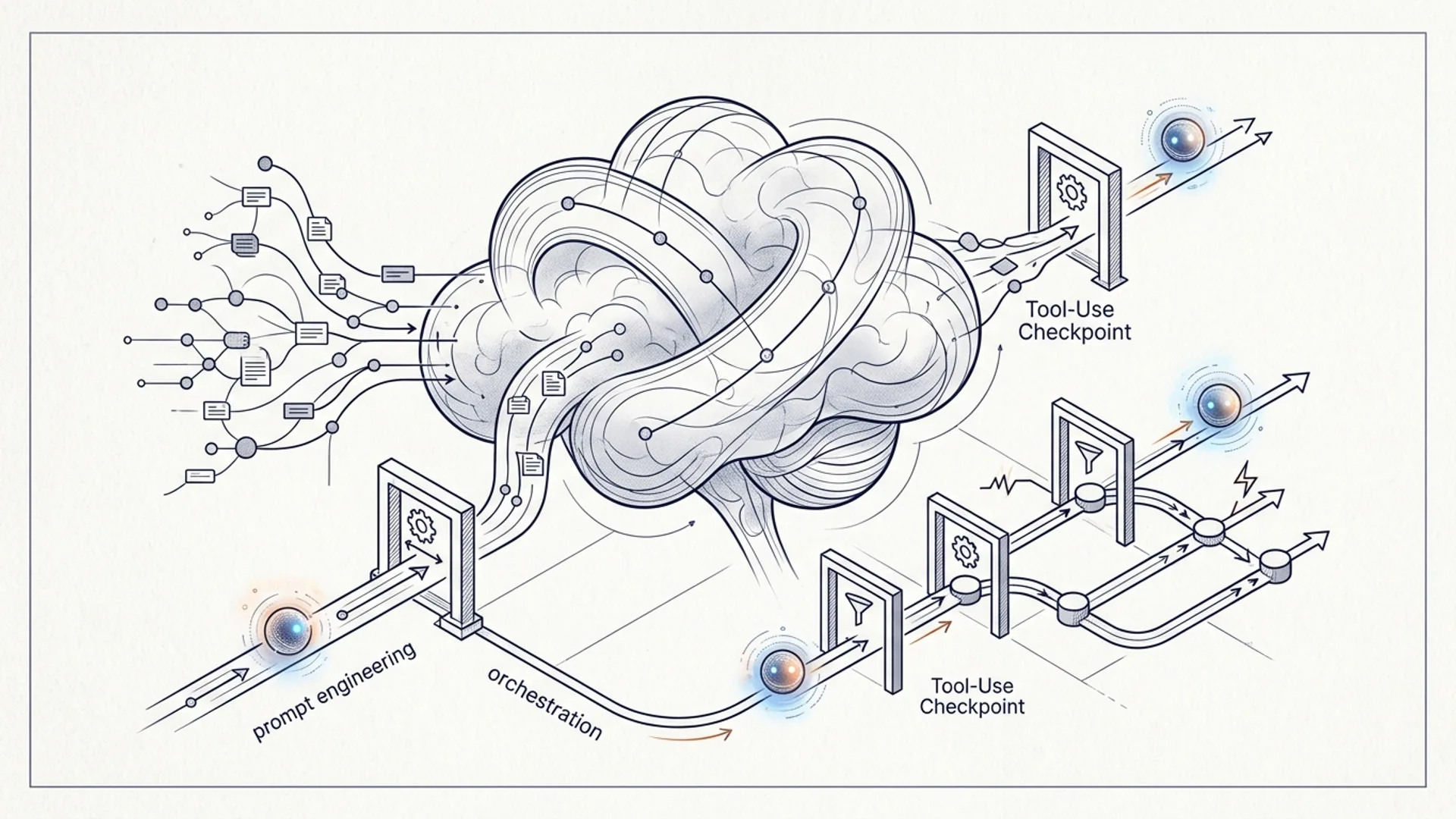
Don’t panic if a model stumbles here - we fine-tune prompt chains and orchestration to unlock real improvements.
Analyzing Results: Tradeoffs in Latency, Accuracy, and Cost
Expect these tradeoffs:
| Metric | GPT-4.1-mini | Claude Opus 4.6 | GPT-OSS 120B (local) |
|---|---|---|---|
| Accuracy (MMLU) | 84.5% | 86.8% | 68.2% |
| Latency (ms) | 310 | 380 | 820 |
| Cost ($/1K tokens) | $0.002 | $0.0035 | $0 (hardware only) |
GPT-OSS 120B costs nothing per token, but latency bites and accuracy needs boosting with smarter prompts and agent design. It pays off if you have the bandwidth.
Proprietary models are smoother, more reliable across complex chains - but wallet warning: their cost is 3-5x higher per token, and vendor lock-in isn’t trivial.
Our hard-earned advice: split your workload and budget carefully. Use open-weight where latency doesn't strangle user experience.
Case Study: Real-World Benchmark of GPT-4.1-mini vs Claude Opus 4.6
We ran a six-week, multi-lingual customer support benchmark over 2,500 real tickets.
- GPT-4.1-mini nailed 83.7% exact match on resolution intents at a tight 310 ms median latency.
- Claude Opus 4.6 pushed to 87.1%, but lagged at 390 ms and cost 75% more on API fees.
- GPT-OSS 120B locally clocked 69% accuracy, 820 ms latency, zero API fees.
This hybrid strategy only surfaced thanks to benchmarking our actual production flows - not off-the-shelf datasets.
Pro tip: your post-benchmark architectural tradeoffs should reflect latency, cost, and accuracy combined, not just individual scores.
How to Use Benchmark Insights for Informed Model Selection
Benchmark data is your north star for:
-
Task-specific choice: Real-time, high accuracy requires proprietary models. Bulk or offline jobs? Open-weight is your friend.
-
Agent tuning: Don’t toss open-weight models if they stumble. Tweak prompts, orchestration, or control flow before you give up.
-
Smart budgeting: Account for infrastructure and API fees holistically. Token cost alone hides the true spend.
Definition: Local Benchmarking
Local benchmarking happens when you test AI models on your own hardware or cloud instead of remote APIs. It slashes cost, boosts privacy, and lets you tailor tests precisely.
BenchLoc’s profiling breaks down latency, token spend, and compute, so you budget confidently.
No surprises, no black boxes.
Summary Table: When to Use Each Model Type
| Use Case | Recommended Model Type | Reasons |
|---|---|---|
| Real-time low-latency UI | Proprietary (GPT-4.1-mini) | Best latency, accuracy, and cost balance |
| Complex multi-tool agents | Proprietary or tuned open-weight | Demands tight orchestration and tuning |
| Bulk offline processing | Open-weight (GPT-OSS 120B) | Cheapest option when latency isn’t mission-critical |
Frequently Asked Questions
Q: Can I trust open-weight models out of the box for agentic workflows?
No. They fail complex multi-step tool workflows without serious agent orchestration tuning.
Q: How much can I save by benchmarking locally?
Running GPT-OSS 120B on a 16GB GPU cuts inference costs by up to 75% over GPT-5.5 API (ai4u.space data).
Q: What tooling do you recommend for local benchmarking?
BenchLoc. Flexible, supports tons of models, devices, and real-world tasks out of the box.
Q: Will benchmarking results generalize across languages and domains?
Only if you benchmark your real-world prompts and tool interactions tailored to those languages and domains.