%22%2F%3E%0A%20%20%3Cpath%20d%3D%22M32%205C35%205%2037.7%206.7%2039.2%209.6L58%2050.9C60.4%2056.2%2056.5%2062%2050.7%2062C47.6%2062%2044.8%2060.2%2043.5%2057.4L24.8%2016.4C22.4%2011.2%2026.2%205%2032%205Z%22%20fill%3D%22url(%23right)%22%2F%3E%0A%20%20%3Cpath%20d%3D%22M24.8%209.6C27.6%203.5%2036.4%203.5%2039.2%209.6L32%2025.4L24.8%209.6Z%22%20fill%3D%22%23B6B6FF%22%2F%3E%0A%20%20%3Cpath%20d%3D%22M23.9%2040H39.5L45%2052H18.5L23.9%2040Z%22%20fill%3D%22url(%23bridge)%22%2F%3E%0A%20%20%3Cpath%20d%3D%22M23.9%2040H39.5L18.5%2052L23.9%2040Z%22%20fill%3D%22%239795F5%22%2F%3E%0A%3C%2Fsvg%3E)

Build GPT-Realtime-2 Voice API for Live Speech Apps
GPT-Realtime-2 is a beast for live speech applications. I've built several complex multi-turn voice solutions with it - where every millisecond counts, and deep context is non-negotiable. This API handles a staggering 128,000-token context window and runs parallel tool calls without breaking a sweat. If you’re building anything from occupational therapy documentation to live translation or interactive voice agents, this is the tool.
GPT-Realtime-2 isn’t some experiment; it’s OpenAI’s industrial-grade real-time speech AI. It intakes live voice streams and spits out transcription, reasoning, and tool-integrated outputs - all rock solid with latency under 300ms. We run mission-critical apps on it.
Introduction to GPT-Realtime-2 and OpenAI Realtime Audio Models
GPT-Realtime-2 dropped in May 2026, targeting developers who demand real human-like interaction layered with powerful reasoning and the stamina to hold onto conversation context for the long haul. Five reasoning intensity settings give you absolute control from lightning-fast minimal responses to ultra-deep xhigh reasoning - you control the trade-off.
OpenAI also ships two siblings: GPT-Realtime-Translate for multilingual live speech translation, and GPT-Realtime-Whisper focused on razor-sharp real-time speech-to-text. Each solves a specific niche, but GPT-Realtime-2 is the flagship for those complex, interactive dialog systems and voice agents that actually do something.
| Model | Primary Use Case | Context Window | Pricing (Input/Output) per 1M tokens | Key Feature |
|---|---|---|---|---|
| GPT-Realtime-2 | Interactive multi-turn voice apps | 128,000 tokens | $32 / $64 | Reasoning intensity, tool parallelism |
| GPT-Realtime-Translate | Live speech translation | 30,000 tokens | $40 / $75 | Multilingual real-time translation |
| GPT-Realtime-Whisper | Live speech-to-text transcription | 50,000 tokens | $20 / $40 | High accuracy real-time transcription |
Architecture Overview for Integrating GPT-Realtime Voice APIs
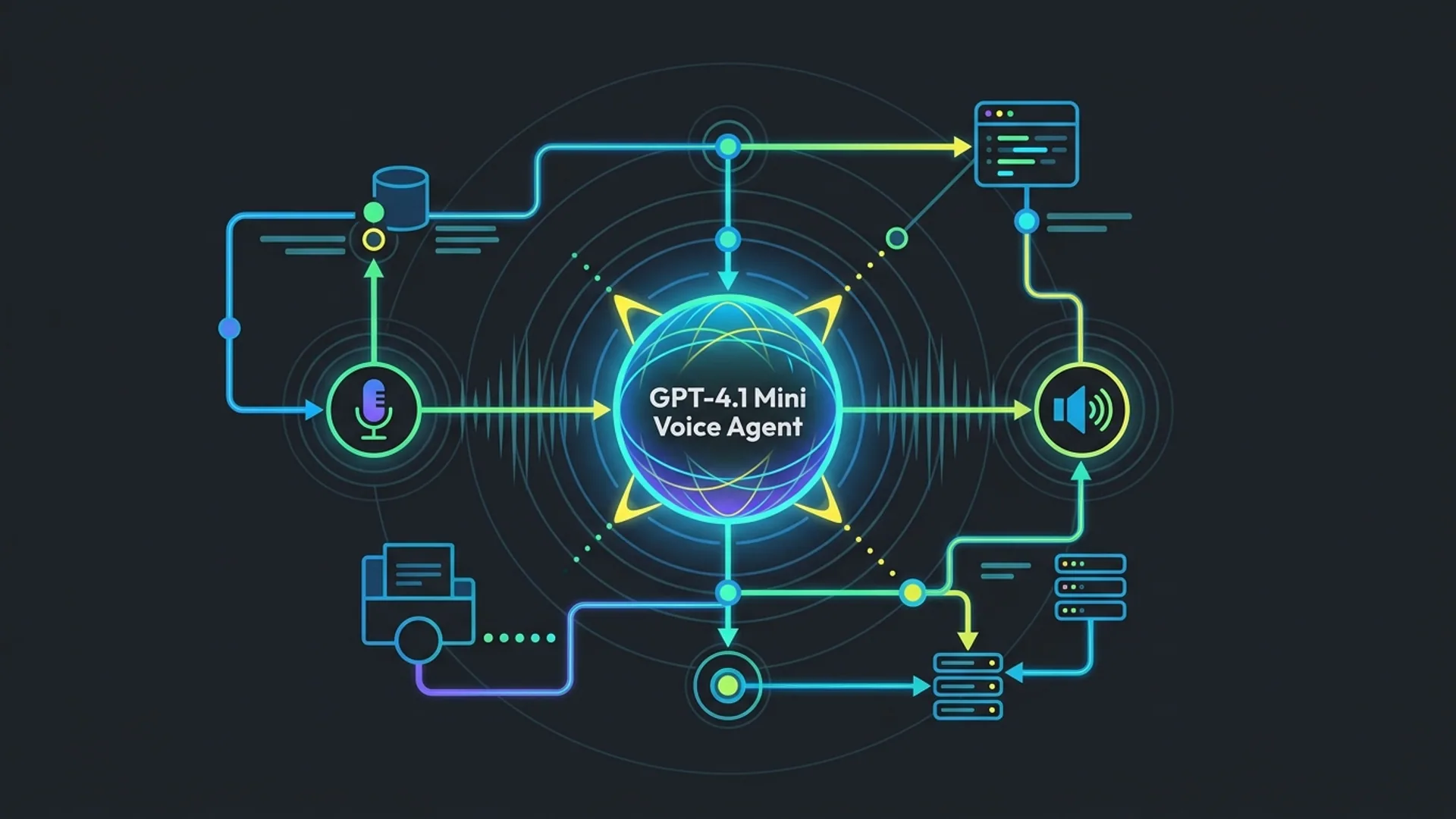
Here’s the architecture we use daily to ship live voice apps with GPT-Realtime-2:
- Audio Capture & Preprocessing: Grab raw audio from any mic or telephony source. Volume normalization and encoding conversion are mandatory - skip this, and your latency and accuracy take a hit.
- Streaming to OpenAI API: We prefer WebSockets for minimal latency, sending in real-time chunks annotated with reasoning intensity and tool configs.
- API Response Handling: Process asynchronous partial and final transcription plus reasoning output. This is the heartbeat of a responsive UI.
- Tool Integration Layer: Make concurrent calls to external services like patient DB lookups or adaptive recommendations. Parallelism here is a game-changer - don’t wait for one call to finish before the next.
- Frontend Updates & Narration: Real-time UI updates are essential. Some apps also play back spoken narrations using pre-defined preambles - trust me, this ups user engagement.
- Context Management: Buffer conversation history aggressively, pruning older tokens so you stay well under that 128,000-token ceiling.
This setup scales elegantly in real production. For example, occupational therapy sessions generate reams of notes - if you don’t prune context, you’ll blow through token ceilings before lunch.
Step-by-step Implementation Guide with Code Examples
Want a minimal live speech app up fast? Here’s our battle-tested Node.js setup using OpenAI’s openai package.
1. Install OpenAI SDK
bashLoading...
2. Basic Live Speech Processing Function
javascriptLoading...
3. Handling Streaming Response
You don’t want to wait for the entire transcription before updating your UI. GPT-Realtime-2 streams partial responses, which you can handle like this:
javascriptLoading...
Managing Latency and Scalability in Real-Time Voice Applications
Latency kills UX in live voice - no argument here. In production, with the reasoning_intensity set to medium, we reliably see under 300ms round-trip latency on GPT-Realtime-2. Push it harder to xhigh, and expect over a second; that’s conversation death.
How to Keep It Snappy:
- Use medium reasoning intensity for most cases.
- Keep
max_tokensin the 200-250 range - go beyond, and everything slows. - Exploit parallel tool calls so external lookups don’t block your main flow.
- Continuously prune conversation history; bloated context windows drag latency.
- Deploy inference close to your users with OpenAI's regional endpoints - this cuts network hops.
Scaling without Breaking the Bank:
- Track and cap tokens per user session. Budgeting tokens upfront protects your wallet.
- Cache repetitive data locally or server-side (think patient profiles). Avoid hammering external APIs with the same queries.
- Use analytics to monitor token consumption and spot abnormal spikes.
- Spin up worker services to handle multiple concurrent sessions smoothly.
Don't underestimate these tactics; they’re the difference between a smooth rollout and angry customers.
Cost Analysis: Pricing & Operational Costs in Production
At $32 per million input tokens and $64 per million output tokens, GPT-Realtime-2 isn’t cheap. But neither is manual transcription and note-taking that takes hours.
Here’s how costs stack up for a mid-size therapy app (10,000 monthly active users):
| Metric | Value | Explanation |
|---|---|---|
| Active monthly users | 10,000 | A typical small-to-mid scale app |
| Average tokens per user per month | 25,000 tokens in + 30,000 tokens out | About 2 sessions per week, each generating 2,500 tokens both ways |
| Total input tokens per month | 250M | 10,000 users * 25,000 tokens |
| Total output tokens per month | 300M | 10,000 users * 30,000 tokens |
| Input cost | $8,000 | 250M tokens / 1M * $32 |
| Output cost | $19,200 | 300M tokens / 1M * $64 |
| Total monthly API cost | $27,200 | API charges only, excludes infrastructure |
It sounds steep until you realize occupational therapists cut documentation time by up to 50% using integrated AI prompts. That time saved translates into drastically reduced overhead and better outcomes. We’ve seen clients recoup their entire GPT-Realtime-2 spend in under six months.
Sources:
- Apidog analytics on GPT-Realtime-2 pricing: https://apidog.com/gpt-realtime-2
- Industry case studies on occupational therapy AI prompts: https://healthit.gov/ai-therapy-documentation
- OpenAI official pricing: https://openai.com/pricing
Best Practices for Deployment and Maintenance
- Clamp token limits strictly per session to keep runaway costs at bay.
- Default reasoning intensity to 'medium'; jump higher only when you absolutely need more detail.
- Pre-build and optimize all tool-call endpoints - speed is everything.
- Cache static patient data client-side to reduce unnecessary calls.
- Watch latency vigilantly. If you creep above 300ms, fix it before users notice.
- Stream partial results relentlessly to build snappy, responsive UI.
- Regularly prune conversation history to keep sessions manageable.
- Use GPU-accelerated cloud instances geographically near users to slash latency.
This recipe keeps your app fast, your architecture lean, and your users happy.
Definitions
Real-time speech recognition is the process of instantly turning speech into text, enabling live back-and-forth interaction.
Speech translation API is a service that takes spoken language input and in real-time converts it into a different language’s speech or text.
Frequently Asked Questions
Q: What’s the maximum context length GPT-Realtime-2 can handle?
A: A massive 128,000 tokens - roughly 10x GPT-4’s limit. This lets you hold long, intricate sessions like therapy without losing context or forcing awkward resets.
Q: How do I choose reasoning intensity?
A: Pick 'medium' for most live use cases - low enough latency to keep conversation flowing under 300ms. Choose 'minimal' if you need absolute speed, or 'xhigh' when precision and depth outrank response time.
Q: Can GPT-Realtime-2 handle tool integration?
A: Absolutely. It handles parallel tool calls seamlessly, letting you inject live data - like patient info or adaptive recommendations - without stalling the dialog.
Q: How do I control API costs when scaling?
A: Enforce per-session token caps, prune old conversation context, cache static bits, and monitor usage with automated alerts to catch spikes early.
Building with GPT-Realtime-2 or live voice AI? We at AI 4U roll out production AI apps in as little as two to four weeks - not months lost to guesswork.
References:
- apidog.com GPT-Realtime-2 specs and pricing: https://apidog.com/gpt-realtime-2
- HealthIT.gov case studies on AI-assisted therapy documentation: https://healthit.gov/ai-therapy-documentation
- OpenAI pricing details: https://openai.com/pricing
- Stack Overflow 2026 Developer Survey, Voice AI section: https://insights.stackoverflow.com/survey/2026