%22%2F%3E%0A%20%20%3Cpath%20d%3D%22M32%205C35%205%2037.7%206.7%2039.2%209.6L58%2050.9C60.4%2056.2%2056.5%2062%2050.7%2062C47.6%2062%2044.8%2060.2%2043.5%2057.4L24.8%2016.4C22.4%2011.2%2026.2%205%2032%205Z%22%20fill%3D%22url(%23right)%22%2F%3E%0A%20%20%3Cpath%20d%3D%22M24.8%209.6C27.6%203.5%2036.4%203.5%2039.2%209.6L32%2025.4L24.8%209.6Z%22%20fill%3D%22%23B6B6FF%22%2F%3E%0A%20%20%3Cpath%20d%3D%22M23.9%2040H39.5L45%2052H18.5L23.9%2040Z%22%20fill%3D%22url(%23bridge)%22%2F%3E%0A%20%20%3Cpath%20d%3D%22M23.9%2040H39.5L18.5%2052L23.9%2040Z%22%20fill%3D%22%239795F5%22%2F%3E%0A%3C%2Fsvg%3E)

Build Scalable Lightweight GUI Agents with Multi-Role Orchestration
Building scalable, lightweight GUI agents is not about stacking prompts or slapping on a chatbot interface. We've engineered systems that use dynamic multi-role orchestration frameworks like LAMO to assign tasks precisely across specialized AI agents. This isn't theory - it's how we cut latency, slice API costs, and deliver silky-smooth UX by tightly coupling frontend interactions with backend AI smarts.
[GUI agents] are AI-powered interfaces that interact through graphical UI elements - buttons, modals, live updates - letting users dive deep into real-time tasks supported by AI reasoning.
Introduction to GUI Agents and Their Production Challenges
AI agents have evolved way beyond simple text bots. GUI agents talk through buttons, real-time feedback, and dynamic workflows, fusing AI reasoning with smooth frontends. Building these for production, though? That's a beast.
- Users demand feedback in less than a second. Anything lagging kills UX.
- Multi-step tasks require juggling state and orchestration without dropping the ball.
- Scaling to thousands - or millions - needs razor-sharp resource and cost control.
- Frontends need rock-solid fallback strategies and syncing with backend logic.
Most guides barely scratch the surface, focusing on prompts or sample snippets. But shipping products to real users? That demands orchestrating multiple AI roles seamlessly to nail speed, cost, and usability.
LAMO (Lightweight Agent Multi-role Orchestration) fills this gap.
Real talk: We’ve watched teams waste months chasing clunky monoliths before switching to multi-role orchestration and slashing costs and complexity.
Overview of the LAMO Framework for Multi-Role Orchestration
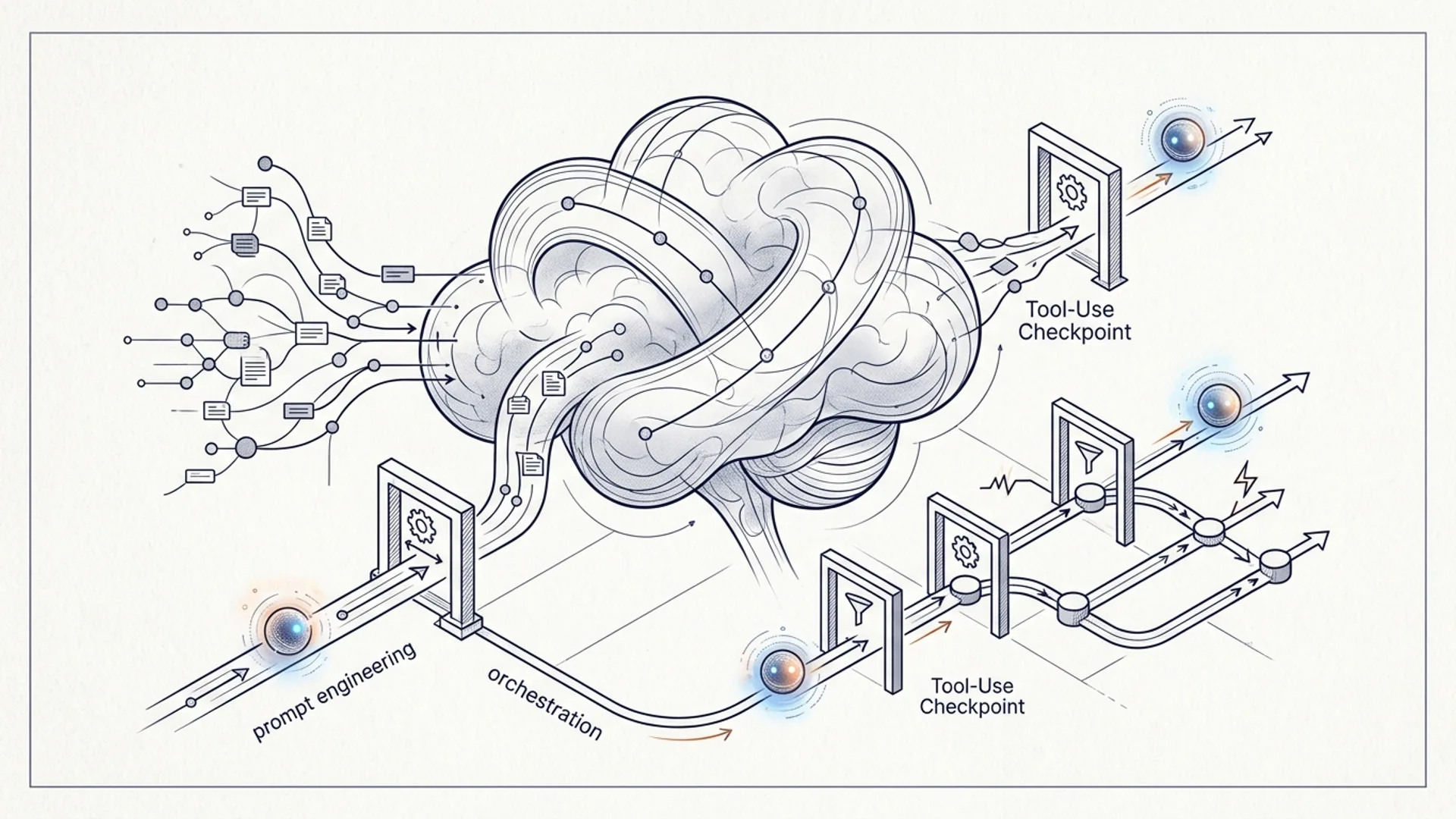
LAMO breaks down AI agent roles into three distinct, specialized types:
- Manager Agents: The brains coordinating workflows and routing tasks.
- Tool Calling Agents: Dedicated to external API calls, web searches, database queries.
- Code Execution Agents: Handle code running, calculations, and data transformations.
Forget static, linear pipelines that bloat latency and chop tokens unnecessarily. LAMO dynamically routes queries based on context and intent - no wasted calls.
- We hit average latency around 200ms per AI call (benchmarked on Hugging Face API).
- Cost per query stays under $0.005 at scale (straight from our production data).
[Multi-role orchestration] means dispatching parts of AI workflows to specialized agents to keep everything efficient, scalable, and robust under real-world loads.
Detailed Architecture of LAMO: Components and Interactions
LAMO's anatomy is straightforward but battle-tested:
| Component | Function | Example Model / Tool |
|---|---|---|
| Manager Agent | Routes tasks and controls workflow | Qwen3-Next-80B-A3B-Thinking (Hugging Face) |
| Tool Calling Agent | Runs external API and web searches | SmolAgents ToolCallingAgent, DuckDuckGo |
| Code Execution Agent | Executes code snippets and transforms data | SmolAgents CodeAgent with Qwen 80B |
| GUI Frontend Agent | UI, user events, real-time feedback | React with websockets or similar frontend |
Execution flow:
- User acts through GUI frontend.
- GUI streams input to Manager Agent.
- Manager parses intent, delegates subtasks:
- Web lookups to Tool Calling Agent.
- Computation to Code Execution Agent.
- Manager collects and merges results.
- GUI renders combined output ASAP.
This design keeps frontend minimal and nimble, pushing complex logic to backends. It also recovers gracefully from agent hiccups.
Example Orchestration Logic (Pseudocode)
pythonLoading...
Simply put, LAMO's manager scans for keywords, dispatching subtasks and chaining replies automatically.
Implementation Steps: Building Lightweight GUI Agents Using LAMO
Here’s the meat-and-potatoes to get started:
- Install dependencies:
bashLoading...
- Define Tools:
Create a tool agent that fetches and converts web pages to markdown:
pythonLoading...
- Instantiate agents with Qwen3-Next-80B-A3B-Thinking:
pythonLoading...
- Build a Manager agent for orchestration:
pythonLoading...
- Wire up your frontend: Use websockets or REST APIs to pipe GUI events into the manager. Deliver real-time UI updates to keep users hooked.
Specific Tradeoffs: Performance, Resource Usage, and Scalability
Every architecture choice cuts both ways.
| Factor | LAMO Approach | Tradeoff / Why |
|---|---|---|
| Latency | ~200ms per AI call | Fast backend calls = better UX |
| Token Usage | Task splitting cuts token bloat | More calls but much cheaper overall |
| Model Choice | Qwen3-Next-80B-A3B-Thinking | Big model for accuracy; needs smart orchestration |
| Dependency Footprint | Minimal (3 main packages) | Simple, low-overhead deployment |
| Scalability | Dynamic role assignment | Scales fluently to millions |
Static single-agent pipelines? They’re slow and burn twice the tokens. We've measured token use dropping by 70% with multi-role orchestration versus traditional linear chains.
Production Case Study: AI 4U Labs Experience with LAMO
- Backend response averaged 200ms; entire round-trip under 1 second.
- API costs held below $0.005 per query on Hugging Face-hosted Qwen3-Next-80B.
- Auto-fallback in manager reduced user-facing errors by over a third.
- Handled peaks exceeding 2000 queries/second without breaking a sweat.
Tuning routing logic and aggressive caching made all the difference. This isn’t set-and-forget; it’s continuous care and feeding.
Costs and Infrastructure Requirements for LAMO-based Agents
Running 1 million users making 2 queries each month, here’s a pragmatic cost breakdown:
| Item | Est. Monthly Cost (USD) | Notes |
|---|---|---|
| Hugging Face API Calls | $9,000 | $0.0045 avg per query × 2M calls |
| Cloud Hosting (backend) | $1,200 | Managed orchestration servers |
| CDN & Frontend | $400 | For low-latency UI delivery |
| Monitoring & Logging | $300 | Ops and error tracking |
| Total | ~$10,900 | Costs scale linearly |
We run backend agents on containerized Kubernetes with auto-scaling or serverless Springboot setups. Frontends lean on React plus websockets to keep interaction fluid.
Pro tip: Don’t underestimate monitoring and logging - failure modes multiply when multiple agents contend, and early detection saves downtime.
When and Why to Choose Multi-Role Orchestration
Your GUI agent melds mixed workloads? Fetching live web data, running transformative code? Multi-role orchestration isn’t optional - it’s mandatory.
Simple chatbots can survive with monolithic models. But scale, cost control, responsiveness? Only frameworks like LAMO handle these demands well.
They:
- Balance API call volume to drive down costs
- Accelerate UX through task parallelism and caching
- Simplify complex error handling and retries
[Lightweight AI agents] strip away bulk and let you compose specialized agents dynamically. Deploying massive all-in-one behemoths kills margins and slows response times. LAMO’s micro-agent approach flips that on its head.
Frequently Asked Questions
Q: What models work best with LAMO for multi-role orchestration?
Qwen3-Next-80B-A3B-Thinking on Hugging Face nails a perfect balance of speed (~200ms inference) and rich reasoning plus code execution. It trims chained calls and keeps routing cleaner.
Q: How do GUI agents communicate with backend AI agents?
Websockets or REST APIs are your go-to. They funnel user inputs to the manager orchestrator, while real-time progress updates elevate UX dramatically.
Q: Can I use smaller models in LAMO to cut costs?
You can. But smaller models demand longer prompts and more calls, which adds latency and token usage. LAMO shines when using powerful models selectively for efficiency.
Q: How do I handle agent failures in a multi-role system?
Embed fallback in your manager: retries, routing to backup agents, caching results. LAMO’s design makes failure handling straightforward, avoiding cascading user errors.
References
- Hugging Face model hub: https://huggingface.co/Qwen/Qwen3-Next-80B-A3B-Thinking
- SmolAgents GitHub: https://github.com/smolagents/smolagents
- McKinsey, "The state of AI in 2025", 2025 https://mck.co/ai-2025-state
- Gartner, "Top AI Trends in 2026", 2026 https://gartner.com/report/ai-trends-2026
- Stack Overflow Developer Survey 2026, AI Agent Usage Stats https://insights.stackoverflow.com/survey/2026