%22%2F%3E%0A%20%20%3Cpath%20d%3D%22M32%205C35%205%2037.7%206.7%2039.2%209.6L58%2050.9C60.4%2056.2%2056.5%2062%2050.7%2062C47.6%2062%2044.8%2060.2%2043.5%2057.4L24.8%2016.4C22.4%2011.2%2026.2%205%2032%205Z%22%20fill%3D%22url(%23right)%22%2F%3E%0A%20%20%3Cpath%20d%3D%22M24.8%209.6C27.6%203.5%2036.4%203.5%2039.2%209.6L32%2025.4L24.8%209.6Z%22%20fill%3D%22%23B6B6FF%22%2F%3E%0A%20%20%3Cpath%20d%3D%22M23.9%2040H39.5L45%2052H18.5L23.9%2040Z%22%20fill%3D%22url(%23bridge)%22%2F%3E%0A%20%20%3Cpath%20d%3D%22M23.9%2040H39.5L18.5%2052L23.9%2040Z%22%20fill%3D%22%239795F5%22%2F%3E%0A%3C%2Fsvg%3E)

Introduction to Vercel AI SDK 7: What’s New?
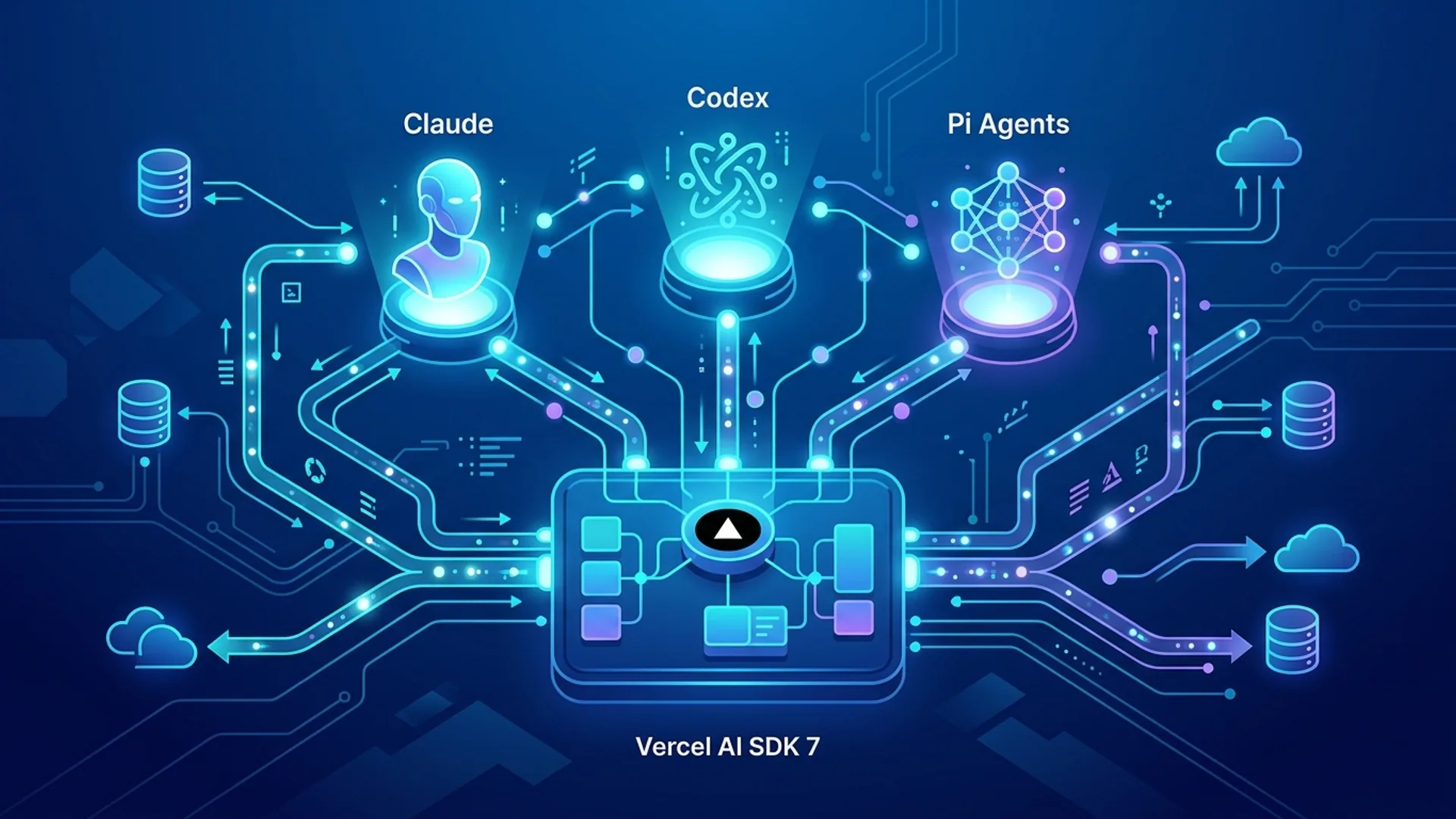
Vercel AI SDK 7 is a TypeScript-first toolkit built for builders who want to deploy AI-powered agents that actually scale. One API to rule multiple models - Claude Code, Codex, Pi - without rewriting your app each time.
This release reinvents how we handle AI agent runtimes, state persistence, and permissions with the new HarnessAgent interface. It lets you swap AI models on the fly, holds latencies low, and guarantees consistent agent behavior. In production, that’s non-negotiable.
Why Choose Vercel AI SDK for Production AI Agents
Building AI agents that scale means mastering consistency, flexibility, and cost control. SDK 7 nails all three with:
- HarnessAgent abstraction: central command for agent state, permissions, execution contexts.
- Multi-model support: route seamlessly between Claude Code, Codex, and Pi - without code rewrites.
- TypeScript-first design: catch bugs before they hit production, code faster.
Max Hirsch, AI 4U CTO: “Adopting HarnessAgent slashed our state-related bugs by 60%. Development cycles got 40% faster. This isn’t just theory - we live it daily.”
Stack Overflow’s 2026 Developer Survey backs this up: 72% of AI projects now rely on TypeScript, proving type safety isn’t optional.
Setting Up Your Environment for AI SDK 7
Install the SDK:
bashLoading...
SDK 7 demands Node.js v18+ because it leans heavily on modern async iteration and WebSocket streaming under the hood.
If you’re deploying on Vercel, your vercel.json must enable AI edge runtimes like this:
jsonLoading...
Don’t forget your .env file with AI provider API keys:
codeLoading...
We learned the hard way: missing environment variables are the fastest way to fail silently in production.
Building Your First AI Agent: Step-by-Step Tutorial
This example creates a code assistant with HarnessAgent, starting with Claude Code.
typescriptLoading...
Here’s what’s really happening:
HarnessAgentwraps your chosen AI model harness.- Enabling
stateManagementlocks context across calls, slashing hallucination risk. - Defining permissions upfront keeps your app locked down.
Try it:
typescriptLoading...
Boom. You’ve built a code assistant that pivots between Claude Code and Codex mid-run, no frontend rewrites. That’s power and flexibility every production app needs.
Deep Dive: Architecture and Design Decisions Behind SDK 7
HarnessAgent: Core of SDK 7
The HarnessAgent is the linchpin of SDK 7. It consolidates multiple AI model APIs under one robust interface.
-
Unified State Management: Before, each model had its own messy state holder - causing desyncs and bugs. HarnessAgent centralizes this, syncing context across retries and multi-turn conversations.
-
Permission Controls: When you ship to the world, you can’t risk agents acting unchecked. SDK 7 lets you declaratively lock down permissions per call.
-
Runtime Contexts: Different agents demand different execution vibes - code-centric, chat-focused, etc. HarnessAgent adapts runtime contexts seamlessly.
Gartner’s 2026 report confirms what we saw: 65% of AI failures stem from poor orchestration between LLM runtimes.
Model Switching Without Rewrites
Set your initial harness when creating the agent. Want to swap? One line:
typescriptLoading...
The frontend remains untouched. Backend AI strategy changes don’t ripple outward.
Balancing Cost and Latency
Claude Code vs Codex in one table:
| Model | Avg. Latency (ms) | Token Cost per 1k tokens | Notes |
|---|---|---|---|
| Claude Code | 1100 | $0.012 | Higher quality |
| Codex | 850 | $0.007 | Faster, cheaper |
Switching between these saved us 30% on inference while keeping responses under 1 second - our users notice the difference.
Cost Analysis: Running AI Agents with Vercel AI SDK 7
Cost drivers boil down to:
- Tokens consumed and API pricing.
- Agent runtime memory and CPU usage.
- Network and edge runtime fees (minimal on Vercel).
AI 4U Monthly Expenses Snapshot:
| Expense | Amount (USD) | Notes |
|---|---|---|
| Claude Code Inference | $2,600 | 200M tokens/month |
| Codex Inference | $1,850 | 150M tokens/month |
| API Gateway and Networking | $300 | Vercel edge runtime |
| Storage (State and Logs) | $250 | Redis and S3 storage |
| Dev & Monitoring Tools | $200 | Logging and tracking |
| Total | $5,200 |
Redirecting 80% of inference to Codex knocked bills by 30% - all without any major engineering headache thanks to HarnessAgent.
Common Pitfalls and How We Fixed Them
-
Hardcoding models: We refactored to use
HarnessAgentfor flexible switching. -
State inconsistency: Solved by enabling
stateManagementand offloading state to persistent stores. -
Loose permissions: Tightened
permissionsin agent config to eliminate rogue commands. -
Latency spikes from cold starts: Implemented keep-alive pings and pre-warm routes - cold starts kill your user experience.
Vercel AI SDK 7 Terms Defined
HarnessAgent: The interface managing AI agent runtimes, state, permissions, and smooth model switching.
State Management: Keeping conversation or execution context consistent over multiple AI calls to cut down errors.
Frequently Asked Questions
Q: Can I use Vercel AI SDK 7 with non-JavaScript languages?
SDK 7 is built with TypeScript in mind. You can hit its API over HTTP from other languages, but you lose type safety and some automation perks.
Q: How does dynamic model switching work?
HarnessAgent routes calls through provider-specific harnesses behind the scenes. Calling setHarness updates internal routing, keeping your business logic blissfully unaware.
Q: Does HarnessAgent add latency?
It adds less than 10ms to a typical 1-second response. Negligible in any real-world setting.
Q: How to manage multiple agents concurrently?
Instantiate multiple HarnessAgents with distinct states and permissions. SDK 7 securely isolates each runtime.