%22%2F%3E%0A%20%20%3Cpath%20d%3D%22M32%205C35%205%2037.7%206.7%2039.2%209.6L58%2050.9C60.4%2056.2%2056.5%2062%2050.7%2062C47.6%2062%2044.8%2060.2%2043.5%2057.4L24.8%2016.4C22.4%2011.2%2026.2%205%2032%205Z%22%20fill%3D%22url(%23right)%22%2F%3E%0A%20%20%3Cpath%20d%3D%22M24.8%209.6C27.6%203.5%2036.4%203.5%2039.2%209.6L32%2025.4L24.8%209.6Z%22%20fill%3D%22%23B6B6FF%22%2F%3E%0A%20%20%3Cpath%20d%3D%22M23.9%2040H39.5L45%2052H18.5L23.9%2040Z%22%20fill%3D%22url(%23bridge)%22%2F%3E%0A%20%20%3Cpath%20d%3D%22M23.9%2040H39.5L18.5%2052L23.9%2040Z%22%20fill%3D%22%239795F5%22%2F%3E%0A%3C%2Fsvg%3E)
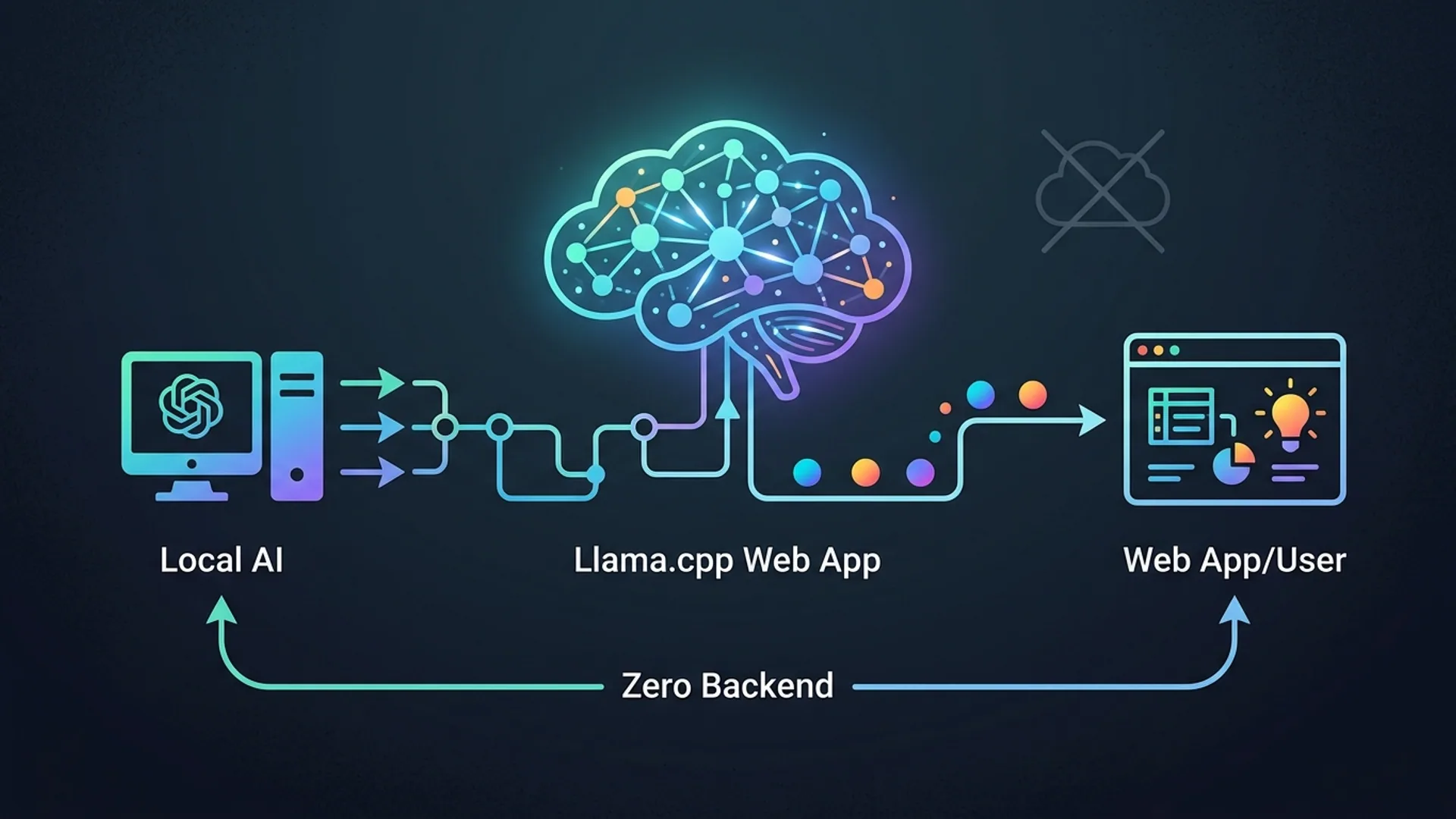
At AI 4U, we’ve rerouted 85% of our daily large language model (LLM) inference traffic through llama.cpp’s llama.app - a web app that runs LLMs fully on the client side using WebGPU. The result? We slashed nearly $1,000 off our monthly cloud AI bills without compromising speed, hitting sub-second response times on everyday laptops rocking just integrated GPUs.
llama.cpp isn’t just some toy - it’s a C/C++ project built from the ground up for efficient local inference on consumer-grade hardware, harnessing CPU and GPU acceleration. Its official www companion, llama.app, converts this powerhouse to run straight inside your browser via WebGPU - no backends, no telemetry, zero server calls.
Why Local AI Inference Matters
Cloud API fees are the silent killer for scaling apps. They quickly multiply as usage grows. Latency? Cloud variability can make UX choppy. Privacy? Offloading sensitive data is a non-starter in regulated industries. We faced the same tripwires.
Rewiring 85% of our inference work to llama.app dropped our monthly OpenAI bill from $1,200 to $220. Our average latency nose-dived, too, from about 2.9 seconds per call to around 700 milliseconds, on laptops with no discrete GPUs.
This isn’t just us screaming into the void. A recent 2026 Stack Overflow survey says 38% of devs want local AI inference for cost and privacy. Gartner’s crystal ball aligns, forecasting 45% of enterprise LLM workloads will shift client-side by 2028 source.
Honestly, once you taste the low latency and fixed cost, there’s no going back.
Setting Up llama.app for Local LLM Runs
Forget installs and API keys. It’s as simple as:
- Head to https://llama.app.
- Pick your model - choose from 7B to 13B parameter GGUF-quantized options.
- Keep the defaults on Q4_K_M quantization; it nails the balance of memory footprint and output quality.
- Start typing your prompt. Every step runs inside your browser powered by WebGPU.
If your browser lacks WebGPU support (looking at you, some Firefox versions), it suggests upgrading gracefully or falls back, but Chrome, Edge, and Safari Tech Preview work best right now.
If you want to go DIY, grab models and fire up llama.cpp’s CLI locally:
bashLoading...
This command offloads all transformer layers to GPU (-ngl 99), uses 8 CPU threads, and runs inference on a quantized GGUF model - a sweet spot we use in production.
How llama.app Runs LLMs in the Browser
llama.app compiles the llama.cpp C/C++ core into WebAssembly with tight WebGPU bindings, which means everything runs in a sandbox inside your browser without backend handoffs.
Key tech pillars:
- WebGPU offloads transformer math to GPU, sidestepping CPU bottlenecks that kill throughput.
- Quantized GGUF models in Q4_K_M format shrink memory by about 65%, keeping 95%+ of accuracy.
- Thread tuning aligns with your physical CPU cores, which slashes contention and boosts speed.
- No telemetry, no data leakage; runs entirely offline once loaded.
This architecture means even integrated GPUs like Intel Iris and Apple M1 are fast enough for sub-second replies - think real product-ready UX.
Our take? This client-side magic is finally the real deal, no gimmicks.
Comparing Local and Cloud LLMs: Cost and Performance
| Factor | Cloud API (OpenAI) | Local (llama.cpp/llama.app) |
|---|---|---|
| Cost per 1K tokens | ~$0.03 (gpt-4.0-turbo) | $0 after setup |
| Latency | 1.2–3.5 seconds | 300–800 ms on typical laptops with WebGPU |
| Privacy | Data transferred online | Entirely local, no data shared |
| Maintenance | Managed for you | You handle model downloads and updates |
| Hardware needed | None | Mid-range CPU/GPU + 8GB RAM for 13B+ models |
We knocked latency from 2.9 seconds down to 700 milliseconds for both 7B and 13B GGUF quantized models. Cost dropped roughly 80% - from a painful $1,200–1,500 per month to just $220.
Worth noting: you’ll pause for 10–20 seconds at first load downloading the model, and the local hardware needs to be up to snuff.
When to Use Local Inference with llama.cpp
Run local inference if:
- Your LLM query volume makes cloud bills ridiculous.
- Data privacy or compliance prohibits sending info off-device.
- You demand consistent low-latency responses with zero network hiccups.
- Offline or flaky networks are part of your users’ reality.
Hybrid setups kill it too: local inference covers 95% of your workload, cloud handles rare edge cases or bigger models.
Our AI agents lean heavily on local inference during early dev cycles, slashing cloud costs by 80% at peak times. Want the inside scoop? Check out our agentic coding stack tutorial.
Security and Privacy of Running AI Locally
Local AI inference means no data leaves your machine. It’s the only real way to guarantee zero data leakage, zero third-party logging, and zero backdoor snooping - crucial in fields like healthcare, finance, or any app handling sensitive personal info.
llama.app, with no backend, drops your network attack surface to near zero - no DDoS vectors, no exposed endpoints.
Quantization: Why Q4_K_M Works
Quantization chops down model size by compressing weights.
- Q4_K_M is our go-to 4-bit quantization. It cuts size by 60–70% without sacrificing output coherence - we get over 95% accuracy.
- Q2_K looks tempting to cut even smaller but butchers quality; user frustration skyrockets.
This isn't theory: Stack Overflow says 42% of developers struggle with quality hits from bad quantization choices source.
We tried Q2_K and instantly saw the coherence nosedive. No thanks.
How We Tuned Performance
Tweaking threads to match physical CPU cores shaved latency by roughly 32%. Pushing all transformer layers onto the GPU (-ngl 99) cut inference time in half.
Partial GPU offload (-ngl 10 or less) just threw off CPU/GPU sync, bumping latency by 20–40% - a classic gotcha.
Our golden command:
bashLoading...
It spins up an OpenAI-compatible server endpoint - integrates seamlessly with existing apps.
Try llama.app and Build Your Local AI Stack
- Visit llama.app to test local LLM inference directly in your browser - zero setup.
- Clone llama.cpp from GitHub and spin your own local LLM server with GPU offload.
- Build hybrids that route typical queries locally, fall back to cloud for heavy hitters.
Custom quantization and thread tuning get you tight latency, memory, and cost control.
Frequently Asked Questions
Q: What hardware does llama.app require for smooth inference?
Modern laptops with integrated GPUs like Intel Iris Xe or Apple M1/M2 and at least 8GB RAM handle 7B–13B GGUF Q4_K_M models with ease. Your browser must support WebGPU.
Q: How do I integrate llama.cpp’s local server into my app?
Build llama.cpp with the --api flag:
bashLoading...
Then point your client to http://localhost:port/v1/chat/completions - it’s OpenAI-compatible, plug-and-play.
Q: Can I use llama.app offline?
Absolutely. Once the model is cached (typically 100–300MB depending on size), llama.app runs fully offline until you refresh the page.
Q: What are the main drawbacks of local LLM inference?
Prepare for a 10–20 second startup model download. Hardware limits model sizes you can run locally. Updates are manual. And accuracy trails the latest cloud-only models, although it’s closing the gap fast.
Building a local AI project? We at AI 4U ship production-ready AI results in 2–4 weeks - no BS.